
PhotoTux has no packages yet — no AUR entry, no Flatpak, no AppImage. Building it takes one command once the dependencies are in place, and the result is a single binary you can run from the build directory.
What you need
| Operating system | Linux. Wayland is the target session; X11 works but the frame budgets are measured on Wayland. |
| Graphics | A working Vulkan driver — Mesa (radv, anv, nvk), AMDVLK or the proprietary NVIDIA driver. |
| Qt | 6.10 or newer, with the Declarative (QML) and SVG modules. |
| Rust | 1.87 or newer, edition 2024. |
| Build tools | CMake and a C++ toolchain, for the thin canvas shim. |
If you are not sure whether Vulkan is working, vulkaninfo --summary should
list at least one device. On most systems it comes from the vulkan-tools
package.
Install the dependencies
Arch, CachyOS, EndeavourOS, Manjaro
sudo pacman -S --needed rust qt6-base qt6-declarative qt6-svg vulkan-icd-loader cmakeYou will also want the Vulkan driver for your hardware if it is not already
installed: vulkan-radeon for AMD, vulkan-intel for Intel, nvidia-utils
for NVIDIA.
Debian and Ubuntu
sudo apt install qt6-base-dev qt6-declarative-dev qt6-svg-dev \
  libvulkan-dev cmake build-essential
Check your Qt version. Debian 13 and Ubuntu 25.04 ship Qt 6.8, which is
below the 6.10 PhotoTux needs. Either wait for a newer release, add a
backports source, or install Qt 6.10 from the
Qt online installer and point
QMAKE at it. qmake6 -query QT_VERSION tells you what you have.
Rust from apt is usually behind as well. Install it from
rustup.rs instead:
curl --proto '=https' --tlsv1.2 -sSf https://sh.rustup.rs | shFedora
sudo dnf install qt6-qtbase-devel qt6-qtdeclarative-devel \
  qt6-qtsvg-devel vulkan-loader-devel cmake gcc-c++
openSUSE Tumbleweed
sudo zypper install qt6-base-devel qt6-declarative-devel qt6-svg-devel \
  vulkan-devel cmake gcc-c++
Build and run
git clone https://github.com/PerkyZZ999/Phototux.git
cd Phototux
export PATH=/usr/lib/qt6/bin:$PATH
export QMAKE=/usr/lib/qt6/bin/qmake
cargo run --release -p phototux
The first build takes a few minutes; after that it is incremental.
Those two exports are not optional. Most distributions put Qt 5’s qmake
first on PATH, and the build links against whichever Qt that qmake
reports. Getting it wrong produces a link error that reads like a missing
symbol rather than a wrong Qt version. If /usr/lib/qt6/bin is not where
your distribution puts Qt 6, find it with qmake6 -query QT_INSTALL_BINS.
Drop --release while you are experimenting — debug builds compile faster,
and dependencies are optimized anyway so opening and saving stay quick. The
canvas is slower in a debug build.
Making it a desktop application
To get PhotoTux into your application launcher, install the desktop entry, the icons and the AppStream metadata under the standard prefixes:
sudo install -Dm755 target/release/phototux /usr/local/bin/phototux
sudo install -Dm644 packaging/linux/io.github.PerkyZZ999.PhotoTux.desktop \
  /usr/share/applications/io.github.PerkyZZ999.PhotoTux.desktop
sudo install -Dm644 packaging/linux/io.github.PerkyZZ999.PhotoTux.svg \
  /usr/share/icons/hicolor/scalable/apps/io.github.PerkyZZ999.PhotoTux.svg
sudo install -Dm644 packaging/linux/io.github.PerkyZZ999.PhotoTux.png \
  /usr/share/icons/hicolor/256x256/apps/io.github.PerkyZZ999.PhotoTux.png
sudo install -Dm644 packaging/linux/io.github.PerkyZZ999.PhotoTux.metainfo.xml \
  /usr/share/metainfo/io.github.PerkyZZ999.PhotoTux.metainfo.xml
sudo update-desktop-database
The desktop entry associates PNG, JPEG, WebP, TIFF, BMP, GIF and PSD, so those file types offer PhotoTux in “Open With”.
First launch
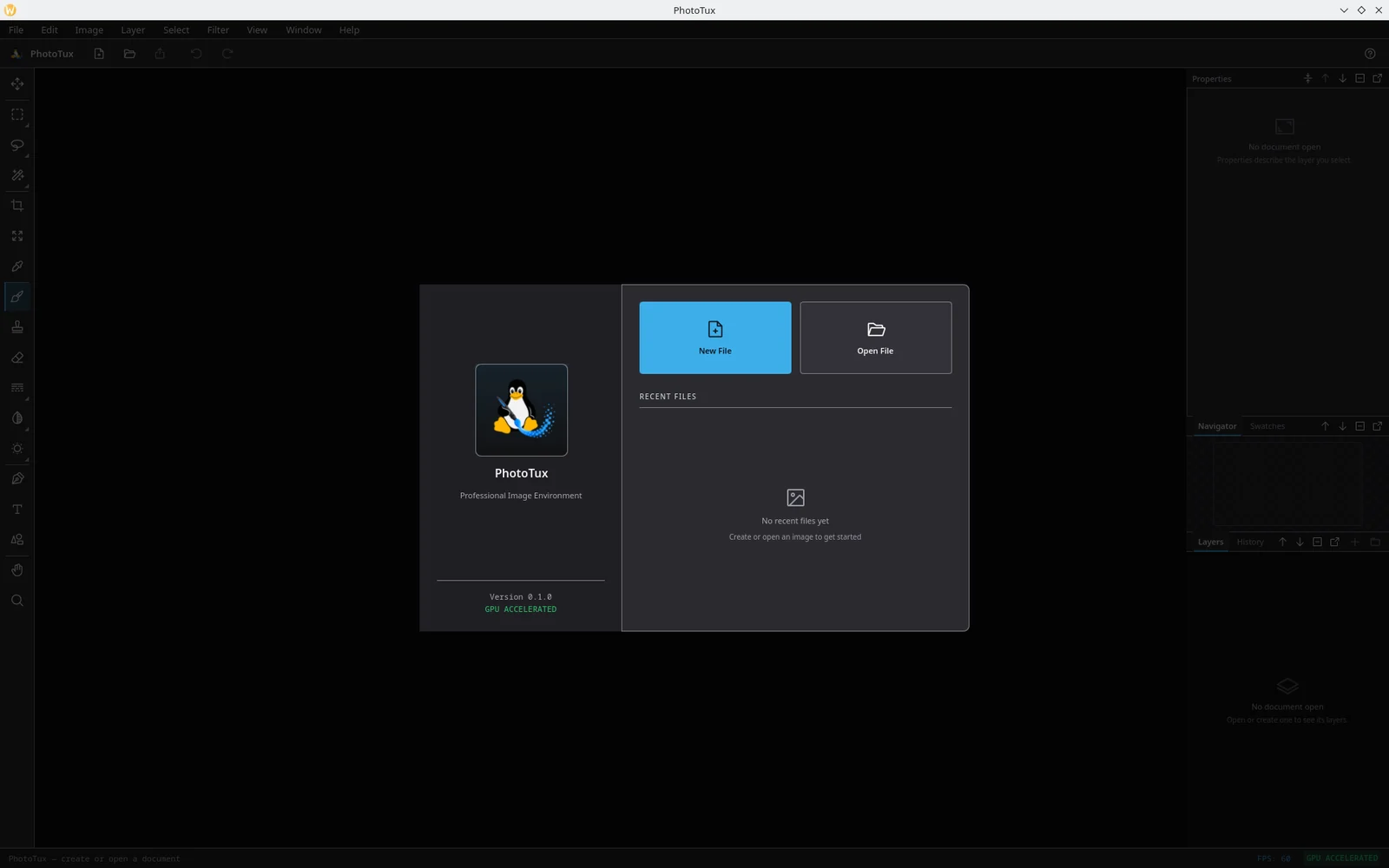
PhotoTux opens on a welcome screen with New File and Open File and, once you have used it, a recent-files list. New File offers 720p, 1080p, 2K and 4K presets with an editable size beside them; whatever you pick, the document opens zoomed to fit.
Carry on with a tour of the workspace.
Updating
cd Phototux
git pull
cargo run --release -p phototux
The .ptx format is still moving. Documents written by an older build
open in a newer one, but the reverse is not guaranteed while the format is
pre-1.0. Export anything important to PNG or PSD as well.
When the build fails
qmake reports Qt 5, or linking fails with missing Qt symbols
PATH and QMAKE are pointing at the wrong Qt. Check with:
qmake --version
echo "$QMAKE"
Both should name Qt 6. Set them as shown above, then cargo clean -p phototux_ui
and build again — a stale object file linked against the wrong Qt will not
relink itself.
Could not find Qt6Config.cmake
The Qt 6 development packages are missing, not just the runtime. On Debian and
Ubuntu that is the -dev packages; on Fedora, -devel.
The window opens black, or the process exits at startup
That is a graphics problem rather than a build problem. See troubleshooting.
Anything else
Run with RUST_LOG=debug from a terminal and include the output when you
open an issue. Distribution,
kernel, session type, desktop, GPU and driver version all matter — Linux
graphics bugs are environment bugs until proven otherwise.